Dressmaker is Playable, not Verified on Steam Deck. Valve logged 3 failed checks, the game is mouse-first, and the button maps and settings that fix it.
Dressmaker Steam Deck: Playable, Not Verified, and How to Make It Work
Dressmaker runs on Steam Deck and Valve rates it Playable, not Verified. Performance is not the problem: Valve's own hardware test marked the default configuration performant, and the developers wrote on launch day that the game runs fast on the Steam Deck. Input is the problem. Dressmaker ships mouse-first with no controller support, so Valve logged controller glyphs that do not match the Deck device, interface text that is not legible at default settings, and non-blocking display output issues. You can play the whole game on a Deck, but you have to build the control scheme yourself. Zoom needs a manual bind, dress form rotation is unreliable, and there is no UI scale slider to fall back on.
- Valve's rating: Playable, not Verified. Store page verdict re-checked September 30, 2026.
- Performance: passes. Default configuration marked performant.
- Input: fails. No controller support at launch, and the game lists Mouse Only Option.
- The bind you must make: zoom sits on the middle mouse click or the Z key, and the Deck has neither.
- What is coming: full controller support is on the roadmap, with no date attached.
What Valve's compatibility test actually logged
The store page carries a hardware compatibility block that Valve generates itself. The resolved category for this app is 2, which is Playable.
| Valve test result | Verdict | What it means on a Deck |
|---|---|---|
| Controller glyphs | Not matching the Deck device | Prompts are drawn for mouse and keyboard, not the D-pad and buttons |
| Interface text | Not legible at default settings | The default font size is small on a seven-inch panel |
| Display output | Non-blocking issues | Cosmetic quirks, not a crash or a black screen |
| Default controller configuration | Fully functional | The bindings Valve did test do respond, which is why this clears Playable |
| Default performance | Performant | Valve's default settings hit the frame rate target |
| SteamOS category | Resolved as Playable | Matches the verdict rendered next to the purchase button |
Official source: Dressmaker on Steam — the store page carries the Steam Deck compatibility module, and its hardware compatibility data records a resolved category of 2, which is Playable.
Two notes for anyone verifying this yourself. The words Steam Deck Compatibility do not appear in the saved store page HTML, because Valve renders that module with JavaScript, so grepping a downloaded copy looks like the rating is missing when it is not. The rating was also absent on day one: store page snapshots from the September 21, 2026 release date show it as Unknown, and it was re-rated afterwards. Community-observed; it may change with game updates.
Why Playable and not Verified
Playable means the game launches and performs acceptably, with caveats Valve will not stand behind. Verified means Valve tested the exact controller configuration end to end, the text is legible, and the display output is clean. Dressmaker passes two of the five headline checks and fails three.
The largest reason is that nobody has built controller support. The developers put it plainly in their launch announcement: the game runs fast on the Steam Deck, but we want to give it proper controller support. Valve's feature list says the same from the other direction, tagging Dressmaker with Mouse Only Option.
This is also not a native Linux game. Steam returns the Linux platform flag as false and the store page renders only the Windows and macOS icons, so a Deck runs the Windows build through Proton, a compatibility layer rather than a supported platform.
| Question | Answer | How firm it is |
|---|---|---|
| Does it have controller support? | No, and the developers have said so in writing | Developer statement |
| Is it a native Linux build? | No, Steam reports the Linux flag as false | Steam's own data |
| What do community reports say? | ProtonDB lists the app at Platinum tier on 7 reports | Community-observed; it may change with game updates |
| Can SteamDB data be used? | No, automated requests were rejected and nothing was read | Not verified |
The ProtonDB entry deserves a caveat. It reports a best reported tier of platinum on 7 total reports, with a confidence field of low and a score of 0.65. Seven reports is a thin sample that rates its own confidence as low, and ProtonDB is a community site for Linux and Proton, so a Platinum there means players got it running themselves, not that Valve supports it. Community-observed; it may change with game updates.
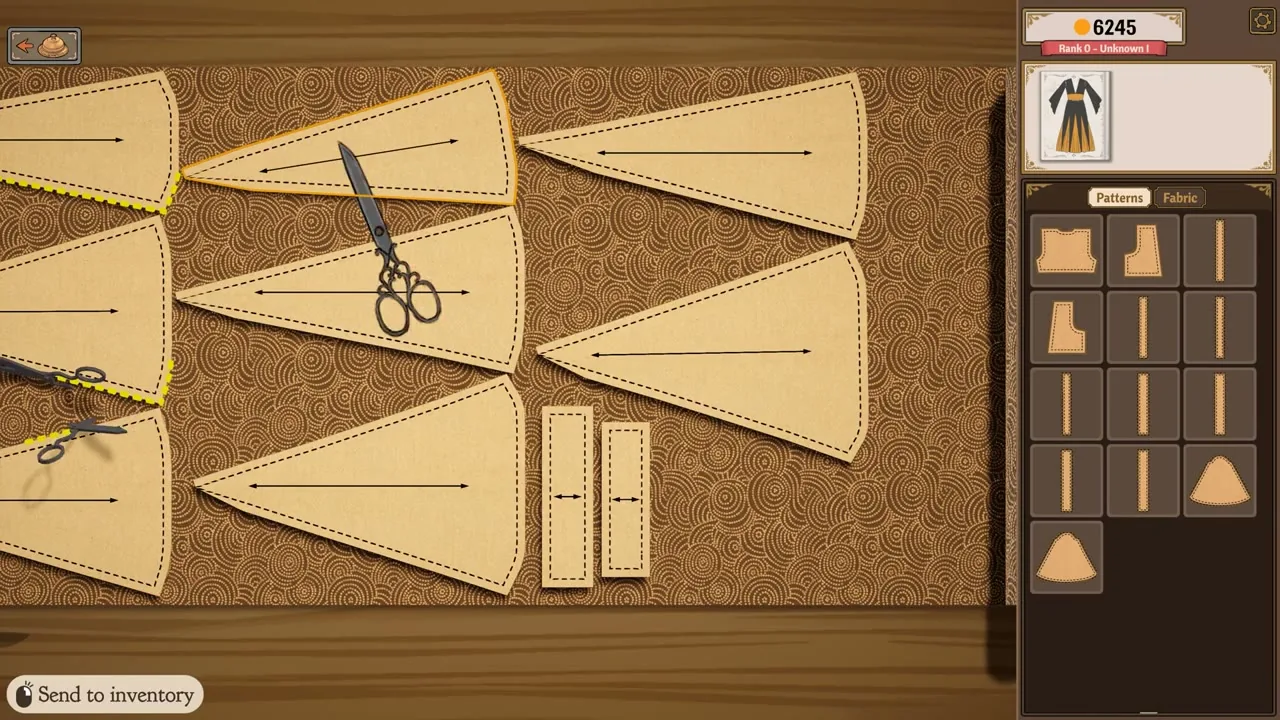
Controls: the map you have to build yourself
Every action in Dressmaker is a mouse action, from choosing fabric to delivering the commission. The trackpad works and the touchscreen works, but two actions are bound to hardware the handheld lacks.
| Action | In-game binding | Deck mapping that works |
|---|---|---|
| Zoom the dress form | Middle mouse click, or the Z key | Map one to a back button. A player mapped the middle mouse click to R4 |
| Rotate the dress form | Mouse wheel, or click and drag | Drag on the touchscreen. The trackpad has no middle button |
| Pan the view | A and D, which only pan while zoomed out | Face button binds work, since these are ordinary keys |
| Sew a seam | Hold a key through the minigame | A trigger or shoulder button, or turn on Sewing Assist |
| Pick fabric, thread, trim, deliver | Mouse click | Touch taps land directly, no binding required |
The player quote from the Steam thread is the practical instruction: you need to either manually map middle mouse click or Z to one of your buttons on the Steam Deck. That player had put the middle mouse click on R4, which is the mapping this page recommends too. A community manager with the developer tag replied on the same thread that you can map whatever works for you in the meantime while the team looks into proper controller support.
Zoom is the one control the game will not hand you on a Deck, and the dress form is where you spend most of your time. Map the middle mouse click or Z to R4 or L4 in the Steam overlay's controller configuration and confirm it responds before you accept a client's order. Two minutes of setup removes the most common reason people bounce off this game on a handheld.
The dress form is the weak point on every device
Not a Steam Deck problem, but a Deck makes it worse, and three issues stack up on the mannequin.
Rotation is unreliable. A player on the Steam discussion board reports that rotating the mannequin works less than half the time, and when it does work it moves by barely a centimetre. Community-observed; it may change with game updates. A touchscreen gesture is less precise, and there is no numeric field to type a measurement into instead.
Zooming in can trap you. Once you zoom in, some players cannot zoom back out, and the reported workaround is clicking outside the mannequin repeatedly until it responds. Community-observed; it may change with game updates. If you bind zoom to a shoulder button, keep the other one free.
Resizing is too sensitive. Steam reviewers call the dress form controls far too sensitive, with no way to remap them to the arrow keys. That complaint is written by mouse players, and trackpad dragging amplifies it.
The mannequin also has to be reset to each client's bust, waist and hips for every commission, the most common piece of tedium players name, tedious enough that a community mod exists purely to automate it. Which client is coming and what they will ask for is covered in the characters guide.
Display, text and settings
The interface text failing Valve's legibility check is the part you can partly fix outside the game.
We could not find a UI scale option in the Options menu. Across more than 600 English Steam reviews, the terms ui scale, ui size, resolution and keybind return zero hits, and neither patch note mentions one. Read that as not found rather than confirmed absent, since nobody has published a screenshot of the full Options menu proving there is no slider. The entries confirmed to exist are Sewing Assist, an optional accessory rotation toggle, and the sewing machine speed.
| Setting | Where it lives | What to do on a Deck |
|---|---|---|
| Sewing Assist | Options menu | Turn it on. It feeds the fabric for you, most of the sewing minigame |
| Sewing machine speed | Options menu | Lower it. Speed is tied to accuracy, and slower is easier to steer |
| Accessory rotation | Options menu | Turn it on if you place trim by hand |
| UI scale | Not found in the Options menu | Use the Deck's display scale slider in SteamOS quick settings |
| Frame rate cap | SteamOS per-game settings | Cap it. The game has no timed input, so nothing is lost |
An independent report from a Sims community site lines up with Valve's data, calling the game playable on the Steam Deck with some issues with graphics and text, which matches the display output and interface text failures.
Valve's rating for Dressmaker was Unknown on the September 21, 2026 release date and was re-rated Playable after launch. Community-observed; it may change with game updates. It can rise to Verified once controller support ships, and it could be revised down if text rendering changes. Check the store page on the day you buy.
Performance and battery: what is actually known
No measured battery figure for Dressmaker on Steam Deck appears in any source we can reach, and there is no frame rate capture to quote. If you find a specific number, treat it as unverified.
What is documented is thinner. Valve marked the default configuration performant, the developers wrote that it runs fast on the Steam Deck, and the Windows requirements ask for 8 GB of RAM and a small install, neither of which stresses the handheld. The constraint is not what the machine processes, it is that you are reading a desktop interface on a seven-inch screen. The battery levers are the ordinary Deck ones: frame rate cap, display brightness, and no timed input pressure, since the store page lists Playable without Timed Input and nothing punishes you for letting the screen sleep mid-order.
What the developers have promised
Full controller support is on the published roadmap. The launch announcement lists four items: an online challenge mode where you compare designs with other seamstresses and vote, transparent fabrics, proper controller support, and ports to mobile and the Nintendo Switch, plus small updates in the immediate weeks that fix bugs and add fabrics and accessories.
Two of those matter for a Deck buyer. Controller support would fix the input half of the Playable rating, and the Switch port would force it into existence by necessity, since Switch is handheld first. Neither has a date, so buy on the Playable rating, or wait.
The recent patches show the team is still fixing the interface. Build 403 on September 22, 2026 fixed failed commissions not paying out. Build 410 on September 24, 2026 added a hover hint showing where each pattern piece belongs on the dress form, which matters more on a Deck because it replaces a drag-and-drop guess with a label you can read.
Official source: Dressmaker - Out Now! launch announcement on Steam — the developers' statement that the game runs fast on the Steam Deck but needs proper controller support, alongside the four-item roadmap.
FAQ
Does Dressmaker run on Steam Deck? Yes. Valve rates it Playable, not Verified, and the game starts and performs acceptably on the handheld. The developers have publicly stated it runs fast, and nothing in the rating stops you from playing the full game.
Is Dressmaker Steam Deck verified? No. Valve's test data records three failures: controller glyphs that do not match the Deck device, interface text that is not legible at default settings, and non-blocking display output issues. Verified would require all three to pass.
Does it have controller support on Steam Deck? Not at launch. The developers said the game runs fast on the Deck but that they want to give it proper controller support, and listed it among planned updates. Until it ships, the game expects a mouse, and both trackpad and touchscreen work.
How do you zoom in Dressmaker on Steam Deck? Zoom is bound to the middle mouse click or the Z key, and the Deck has neither. Map one of them to a back button such as R4 in the Steam overlay's controller configuration.
Is it a native Linux game on Steam Deck? No. Steam reports the Linux platform flag as false and the store page shows only Windows and macOS icons. What runs on the Deck is the Windows build through Proton, which is why community ratings sites call it a compatibility result.
Is it worth buying Dressmaker for Steam Deck? If the Deck is your only machine, it is playable today at the same $14.99 as everywhere else, with a mouse-first interface, small default text and a fiddly dress form as the compromises. If you also own a PC, buy for the PC, because controller support that would make the Deck version comfortable is still on the roadmap. The full price and platform picture, including the itch.io prototype that is not the retail game, is on the Steam guide.
Related Guides
- Dressmaker on Steam has the full price, platform and free-prototype breakdown.
- Dressmaker characters and clients maps the ten Twillford customers to the order each one brings.
- Dressmaker tutorial for beginners walks the retail loop from first commission to off-rack sales.
- Dressmaker quality and scoring guide explains how fabric, alignment and decorations become customer scores.