Whether Dressmaker supports controllers today, the best way to play with a gamepad, and what the roadmap promises.
Dressmaker Controller Support: Status and Roadmap
No. Dressmaker has no native controller support as of October 10, 2026. The game is mouse-first from the main menu to the final delivery click, and Steam tags it with a Mouse Only Option. You can still play with a gamepad through Steam Input remapping, but only controllers with a trackpad handle the fine cursor work well, and full official support sits on the published roadmap with no date attached.
- Native support: none. No gamepad API, no button prompts, no stick cursor.
- Workaround that works: Steam Input with a community layout, best on a Steam Deck, a PS4 pad, a PS5 pad, or a Steam Controller.
- The bind you must make: zoom lives on the middle mouse click or the Z key, and most pads have neither.
- What is coming: full controller support is one of four roadmap items, alongside challenge mode, transparent fabrics, and mobile plus Switch ports.
Current status: mouse-first, no gamepad API
Every interaction in Dressmaker expects a mouse pointer. Picking fabric, cutting pattern pieces, placing trim on the dress form, steering the sewing minigame, and handing the finished gown to the client all resolve to clicks and drags. There is no controller menu, no remapping screen inside the game, and no on-screen glyphs for face buttons or triggers. Steam's own feature list states the position plainly by tagging the game with a Mouse Only Option.
| Input method | Status on October 10, 2026 | Source |
|---|---|---|
| Native Xbox or generic gamepad | Not supported | Developer launch post, Steam feature list |
| Steam Input remapping | Works with caveats | Community layouts and forum reports |
| Trackpad controllers (Deck, PS4, PS5, Steam Controller) | Fully playable with a shared layout | Player-tested layouts |
| Touchscreen | Partial fallback | Player reports |
| Full official support | Announced, undated | Developer roadmap |
Official source: Dressmaker - Out Now! launch announcement on Steam — the developers write that the game runs fast on the Steam Deck but that they want to give it proper controller support, listed among four post-launch items.
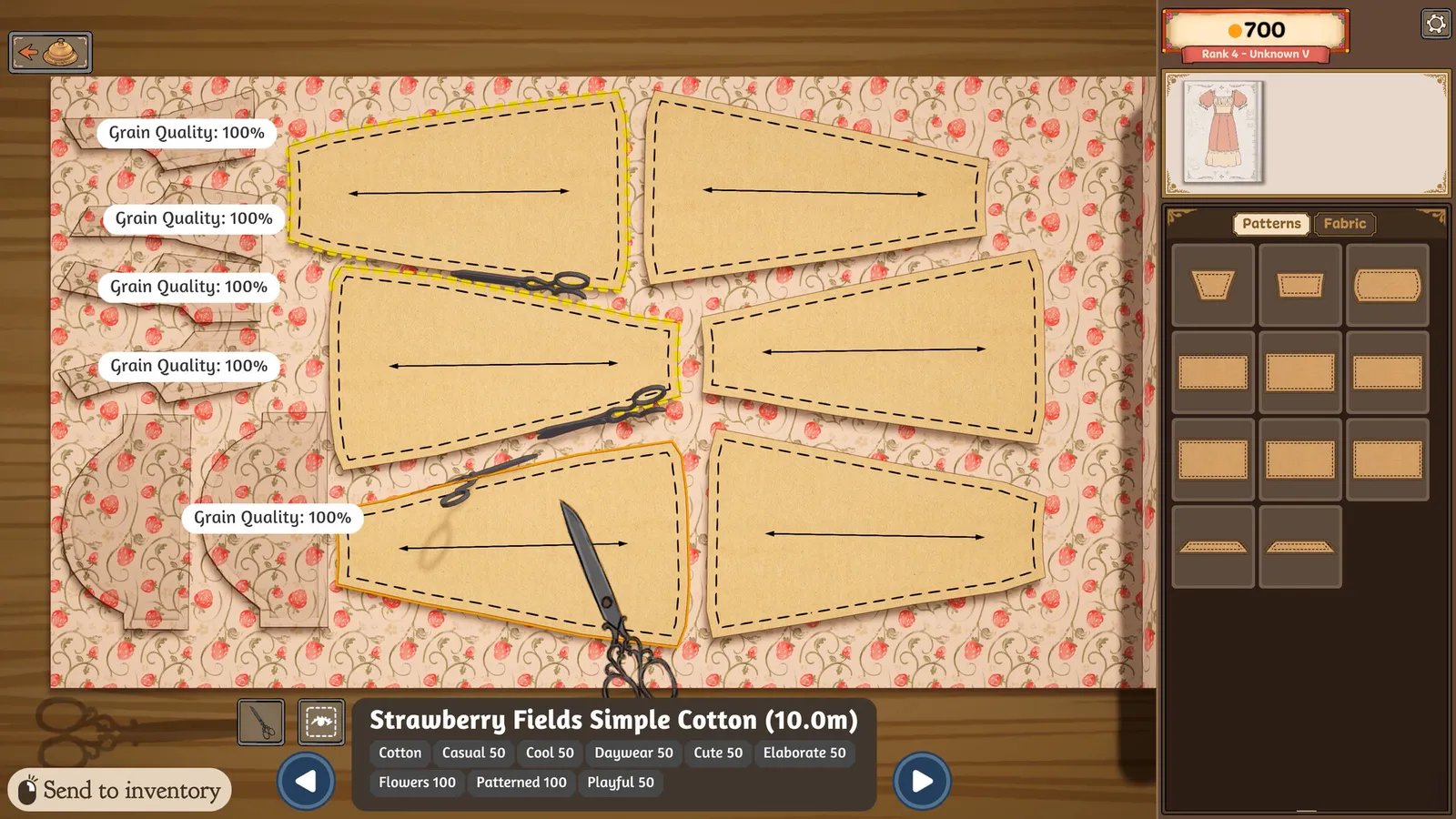
The honest reading is that input, not performance, is the barrier. The Windows build asks for modest hardware, the developers call Deck performance fast, and Valve rates the game Playable rather than broken. What keeps it from full handheld comfort is that nobody has built a gamepad layer yet, which is exactly what the roadmap promises to fix.
How to play with a controller today through Steam Input
Steam Input lets a gamepad pretend to be a mouse and keyboard, and that is the entire workaround. It runs outside the game in the Steam overlay, so nothing in Dressmaker needs to cooperate. The practical path has four steps.
- Enable Steam Input for the game. Open the Steam overlay controller settings for Dressmaker and turn on Steam Input. The default layout Steam assigns automatically is not enough on its own, so treat it as a starting template.
- Download a community layout. Players have uploaded shared layouts to the community pool. The best documented one comes from a player who published separate mappings for the Steam Deck and offered to build PS4 and PS5 variants on request, detailed in the controller compatibility thread. A second layout thread on the Dressmaker subreddit walks through the same setup, which gives you more than one template to try.
- Use a controller with a trackpad. This is the one hard requirement. The layout author states it directly: the controller must have a trackpad, because a stick alone cannot place accessories with the precision the dress form demands. A Steam Deck, a PS4 pad, a PS5 pad, or a Steam Controller qualifies. A standard Xbox pad has no trackpad, which makes it the weakest option for this game.
- Keep the touchscreen as backup. On the Deck, touch taps land directly for simple picks such as choosing fabric or delivering a commission. Fine decoration work through touch alone is limited, so treat it as a complement to the pad rather than the whole scheme.
The Steam Deck guide covers the handheld side of this setup in depth, including display settings and battery behavior while you play this way.
Zoom is the control most likely to stop a gamepad run cold, because it sits on hardware your pad does not have. Map the middle mouse click or the Z key to a rear paddle or an unused shoulder button in the Steam overlay, then confirm the dress form actually zooms in and back out before you accept a client order. Two minutes of setup removes the most common reason gamepad players bounce off this game.
Key binds worth mapping to your pad
Dressmaker has only a small set of non-click inputs, which is why the remapping job is manageable. The table below lists the bindings confirmed by player reports and the sibling control guides on this site.
| Action | In-game binding | Suggested pad mapping |
|---|---|---|
| Zoom the dress form | Middle mouse click, or the Z key | Rear paddle or spare shoulder button |
| Rotate the dress form | Mouse wheel, or click and drag | Trackpad drag, or touchscreen swipe |
| Pan the view | A and D, only while zoomed out | Two face buttons |
| Sew a seam | Hold a key through the minigame | Trigger or shoulder button |
| Pick fabric, thread, trim, deliver | Mouse click | Trackpad click or touch tap |
Two details deserve emphasis. Panning only responds while zoomed out, so if your pan bind seems dead, zoom out first and try again. Sewing accuracy is tied to machine speed, so lowering the sewing machine speed in the Options menu plus turning on Sewing Assist makes the hold-to-sew minigame far easier to steer with a trigger. The zoom guide documents the mannequin camera behavior, and the beginner tutorial walks the full commission loop these binds serve.
Why precision is the hard part
The dress form is where gamepad play lives or dies. Measuring, cutting, and sewing tolerate a coarse pointer, but placing lace, pins, and small accessories needs pixel-level cursor control. The layout author flags exactly this: without a trackpad you will not have enough precision to play effectively, and even with one, highly complex decorated designs remain harder than with a real mouse. Player reports describe the mannequin rotation as unreliable and overly sensitive even for mouse users, and a trackpad inherits all of that.
Set expectations accordingly. A trackpad layout carries the full game, including commissions and story progress. A stick-only layout gets you through menus, fabric shopping, and simple orders but struggles at the decoration stage. Touchscreen taps cover the simple half of the loop well and the fiddly half poorly. None of this reflects a bug waiting for a settings fix. It reflects a mouse-first interface being driven by translated inputs, which is why the only durable fix is the official support on the roadmap.
Roadmap: what full support means and when it ships
Full controller support is one of four items in the launch-day roadmap post, next to an online challenge mode with player voting, transparent fabrics, and ports to mobile and the Nintendo Switch. The announcement gives no date, no order of arrival, and no detail on which controllers will be supported first. The two patches shipped since launch, Build 403 fixing unpaid failed commissions and Build 410 adding hover hints on the dress form, show interface work continuing, but neither touches gamepad input.
Two connections matter for anyone waiting. First, the Switch port practically requires a controller scheme to exist, since a console build cannot ship mouse-only, so progress on one likely unlocks the other. Second, Valve's Steam Deck verdict of Playable rather than Verified rests heavily on input failures, and native support would address the largest of them. Until an announcement lands, buy on the current state: playable with remapping, not comfortable out of the box. The update and roadmap guide tracks each patch and promise as they land, and the Switch guide follows the console port that shares this dependency.
Official source: Dressmaker on Steam — the store page carries the Mouse Only Option feature tag and the Steam Deck compatibility module behind the current Playable verdict.
What to check before you buy a gamepad for this game
Do not buy new hardware for Dressmaker alone. If you already own a PS4 pad, a PS5 pad, a Steam Controller, or a Steam Deck, you have everything the workaround needs. If your only pad is a standard Xbox controller with no trackpad, expect a compromised experience limited to simple tasks, and consider the touchscreen or a cheap mouse instead. Wireless and wired both work since Steam Input sits above the connection layer. If comfort is the deciding factor in your purchase, wait for the official support announcement rather than hoping a new pad changes the fundamentals.
FAQ
Does Dressmaker have controller support? Not natively. As of October 10, 2026, there is no gamepad API, no button prompts, and no in-game remapping. Steam tags the game with a Mouse Only Option, and the developers list full controller support as planned roadmap work without a date.
Can I play Dressmaker with an Xbox controller? Technically yes through Steam Input, but it is the weakest option. The community layouts that work well depend on a trackpad for cursor precision, which a standard Xbox pad lacks. Menu navigation and simple picks work, while fine accessory placement struggles.
What is the best controller for Dressmaker right now? A Steam Deck, a PS4 pad, a PS5 pad, or a Steam Controller, in roughly that order. All four have trackpads, all four work with shared community layouts, and the Deck adds touchscreen taps as backup. Player-tested layouts exist for the Deck first, with PS4 and PS5 variants offered by the same author.
How do I zoom with a controller in Dressmaker? Map the middle mouse click or the Z key to a pad button in the Steam overlay controller configuration, since the game binds zoom to those two inputs and a pad has neither. A rear paddle is the popular choice. Confirm zooming in and back out works before starting a commission.
Will Dressmaker get full controller support? The developers announced it as one of four roadmap items on launch day, September 21, 2026, alongside challenge mode, transparent fabrics, and mobile plus Switch ports. No release window has been given. The patch tracker will reflect it the moment a build notes gamepad input.
Does controller support affect the Steam Deck rating? Indirectly but significantly. Valve rates Dressmaker Playable rather than Verified, with controller glyph mismatches among the logged failures. Native support would address the input half of that verdict, though text legibility and display output would still need to pass for Verified.
Related Guides
- Dressmaker on Steam Deck documents the Playable verdict, the zoom remap, and the display settings behind handheld play.
- Dressmaker Switch port status follows the console port that shares the controller support dependency.
- Dressmaker update and patch notes tracks every build and roadmap promise as they ship.
- Dressmaker tutorial for beginners walks the five-step commission loop your remapped pad will drive.
- Dressmaker zoom controls covers the mannequin camera behavior behind the single most important bind.